





1. The Key Question or Issue
In an era increasingly dominated by digital contacts, social profiles, and virtual networking tools, a fundamental question arises for entrepreneurs, freelancers, and corporate teams alike: How can business owners effectively utilize custom physical business cards from VistaPrint to create a lasting professional impression without overspending, compromising on print quality, or falling into design pitfalls?
While modern professional interactions often start online, the tactile exchange of a high-quality physical business card remains one of the most effective tools for building real-world trust and recall. However, ordering business cards online presents a series of challenges and decisions:
Paper Weight & Stock Selection: How do you choose between standard 14 pt, premium 16 pt, ultra-thick, linen, or recycled options without physically touching them beforehand?
Design Accuracy & Color Fidelity: How can you ensure that the colors, logos, and typography seen on an RGB computer screen translate accurately to a CMYK printed product?
Cost Optimization: How do small business owners navigate add-ons, finishes, and quantity tiers to maximize return on investment (ROI)?
Digital Integration: How can a physical card seamlessly bridge the gap to a company’s website, portfolio, or digital ecosystem using QR codes and smart layouts?
Addressing these challenges requires a clear understanding of VistaPrint’s print architecture, paper stock varieties, finishes, and design workflows.
2. Context and Background
The Role of Physical Cards in a Digital Ecosystem
Despite the rise of digital networking tools, business cards remain a staple of personal branding, trade shows, client meetings, and everyday professional interactions. A business card serves three primary strategic functions:
Tangible Brand Representation: It offers a physical touchpoint that reflects your brand’s professionalism, aesthetic, and attention to detail.
Instant Contact Transfer: It allows immediate exchange of information without requiring battery power, app compatibility, or wireless connectivity.
Marketing Extension: Through modern design techniques, cards function as micro-brochures, appointment reminders, loyalty reward cards, or gateways to digital landing pages via custom QR codes.
Overview of VistaPrint as a Platform
VistaPrint, a flagship brand of Cimpress, revolutionized custom printing by introducing web-to-print technology paired with mass customization. Rather than running small, isolated print jobs, VistaPrint aggregates thousands of orders onto massive gang runs, drastically reducing per-unit costs for small businesses.
Over the years, the platform has expanded beyond basic 14 pt card stock to offer an extensive array of premium papers, specialty finishes, unique die-cut shapes, and digital integration options.
+-------------------------------------------------------------------------+
|                  VISTAPRINT BUSINESS CARD SPECTRUM                      |
+-------------------------------------------------------------------------+
| Standard Cards   | 14 pt to 16 pt | Matte, Glossy, Uncoated             |
| Premium Papers   | Linen, Kraft, Pearl, Recycled, Soft Touch, Bamboo    |
| Specialty Shapes | Rounded Corner, Square, Circle, Oval, Leaf           |
| High-End Deluxe  | Ultra-Thick (32 pt), Painted Edge, Plastic          |
| Special Finishes | Embossed Gloss, Spot UV, Gold/Silver Raised Foil    |
+-------------------------------------------------------------------------+
Common Dilemmas Facing Buyers
The “Flimsy Card” Pitfall: Ordering standard paper weight (14 pt) when expecting a heavy, luxury feel can result in a product that feels cheap or unmemorable.
Over-Design & Clutter: Trying to fit too much text, multiple phone numbers, full addresses, and oversized logos onto a standard 3.5″ x 2″ canvas leads to poor readability.
Resolution & Bleed Errors: Uploading low-resolution graphics (e.g., 72 DPI web logos) or placing vital text outside the printable “safe zone” leads to blurry prints or trimmed content.
Mismatched Finishes: Choosing high-gloss coatings for cards intended for handwritten notes (e.g., appointment or loyalty cards) renders them unusable with standard pens.
3. Solution and Advice for Creating the Ideal VistaPrint Business Card
To achieve professional results, eliminate ordering errors, and get the most value out of VistaPrint, follow this systematic guide covering paper selection, design principles, finishing techniques, and ordering strategies.
Step 1: Select the Right Paper Stock and Thickness
Paper stock determines the tactile impression of your card. VistaPrint measures paper weight in points (pt) or GSM (grams per square meter). Selecting the right material depends directly on your industry and use case.
Pro Tip: If your budget allows, upgrade from standard 14 pt to 16 pt Premium or Soft Touch. The added rigidity significantly enhances the perceived value of your business at a minimal price increase per card.
Step 2: Master the Design and Layout Architecture
When using VistaPrint’s online studio or uploading a custom design, adhere to standard print layout standards to prevent technical defects:
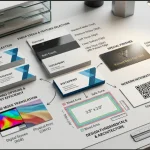
+-------------------------------------------------------------------------+
|                         BUSINESS CARD LAYOUT ZONES                      |
+-------------------------------------------------------------------------+
| [ BLEED AREA: 3.61" x 2.11" ] - Artwork extends here to prevent white borders |
|   [ TRIM LINE: 3.50" x 2.00" ] - Actual final cut dimensions              |
|     [ SAFE ZONE: 3.36" x 1.86" ] - Keep ALL essential text & logos inside |
+-------------------------------------------------------------------------+
Resolution: Export all artwork at 300 DPI (dots per inch). Images saved from social media or websites are typically 72 DPI and will print blurry or pixelated.
Color Mode: Design in CMYK (Cyan, Magenta, Yellow, Key/Black) rather than RGB. RGB screens display vivid neon colors that physical printers cannot replicate exactly without CMYK translation.
Maintain Visual Hierarchy:
Primary Element: Company Name / Logo (largest visual weight).
Secondary Element: Name and Job Title.
Tertiary Element: Core contact details (Direct Phone, Email, Website, QR Code).
Use Double-Sided Space Strategically: Keep the front minimal and uncluttered. Use the back of the card for secondary information such as a dynamic QR code, slogan, list of core services, or appointment grid.
Step 3: Utilize Special Finishes and Digital Integration
Specialty finishes elevate standard artwork into a premium tactile experience when applied selectively:
Embossed Gloss & Spot UV: Adds a clear, raised shiny layer over specific elements (like a logo or icon). This creates contrast against a matte background.
Raised Gold / Silver Foil: Adds metallic flair to typography or borders. Best used on dark backgrounds for high visual impact.
Dynamic QR Codes: Include a dynamic QR code on the back that links directly to a vCard (allowing the recipient to save your contact info with one tap), a digital portfolio, or a custom landing page.
Step 4: Cost Optimization and Ordering Best Practices
To get the best price without sacrificing quality on VistaPrint:
Order a Free Sample Kit: Before committing to large volumes, request VistaPrint’s free paper sample kit. This allows you to feel different paper weights, compare matte versus glossy finishes, and see spot UV in person.
Optimize Quantity Tiers: Per-unit costs drop significantly as volume increases. Ordering 250 or 500 cards is often only marginally more expensive than ordering 100.
Leverage Sales & Bundles: VistaPrint frequently offers site-wide discounts, promotional codes, and seasonal sales (often up to 20–40% off). Align major print orders with these promotional periods.
Combine Shipping: If you need companion materials—such as letterheads, stickers, banners, or post-purchase thank-you cards—order them together to consolidate shipping fees.
4. Conclusion
VistaPrint remains one of the most accessible and versatile platforms for printing business cards, catering to every budget—from entry-level startups to established corporate brands. The key to success lies in matching your card choices with your brand identity and functional needs.
By choosing the appropriate paper weight (such as 16 pt or Soft Touch), adhering to strict print design specs (300 DPI, CMYK color space, and proper safe zone margins), and strategically integrating modern elements like QR codes and specialty finishes, you can transform a standard business card into a powerful marketing tool that drives engagement long after the handshake.
Summary Checklist for Ordering
[ ] Paper Choice: Selected 16 pt or higher for a premium feel (or uncoated for write-ability).
[ ] Dimensions: Artwork fits standard 3.5″ x 2″ (plus bleed margins).
[ ] Resolution: All uploaded graphics are 300 DPI high-resolution files.
[ ] Color: Color profile converted to CMYK to prevent unexpected shade shifts.
[ ] Typography: Font size is at least 8 pt for legibility.
[ ] Proofing: Carefully reviewed back and front text for typos, correct numbers, and functional QR codes.